
For schools
Run your whole school from one place
DrivingOps is designed to bring owners, administrators, and instructors onto the same operational page, with shared data and role-appropriate views.
Built for your team
Everyone gets what they need
Owners
- One dashboard across every branch
- Revenue, utilization, and cancellations at a glance
- Instructor payouts and outstanding balances
- Grow without adding back-office headcount
Administrators
- Book and reschedule in seconds
- Collect documents and chase payments automatically
- Convert booking leads straight to learners
- Fewer phone calls, more done
Instructors
- Today's lessons on their phone
- Conflict checks across people, vehicles, and locations
- Mark availability and request time off
- See learner progress before each lesson
A day with DrivingOps
A workflow designed around the whole day
- 7:30 Instructors open the portal and see today's lessons, pickups, and vehicles.
- 8:00 Automatic WhatsApp reminders have already gone out — no-shows are down.
- 10:15 A learner reschedules from their phone; the slot is offered to the waitlist.
- 13:00 The office reviews a learner permit upload and clears it for practical lessons.
- 16:30 An invoice is paid online; the balance updates and a receipt is sent.
- 18:00 The owner checks the dashboard: revenue trend up, two certificates ready to issue.
Onboarding
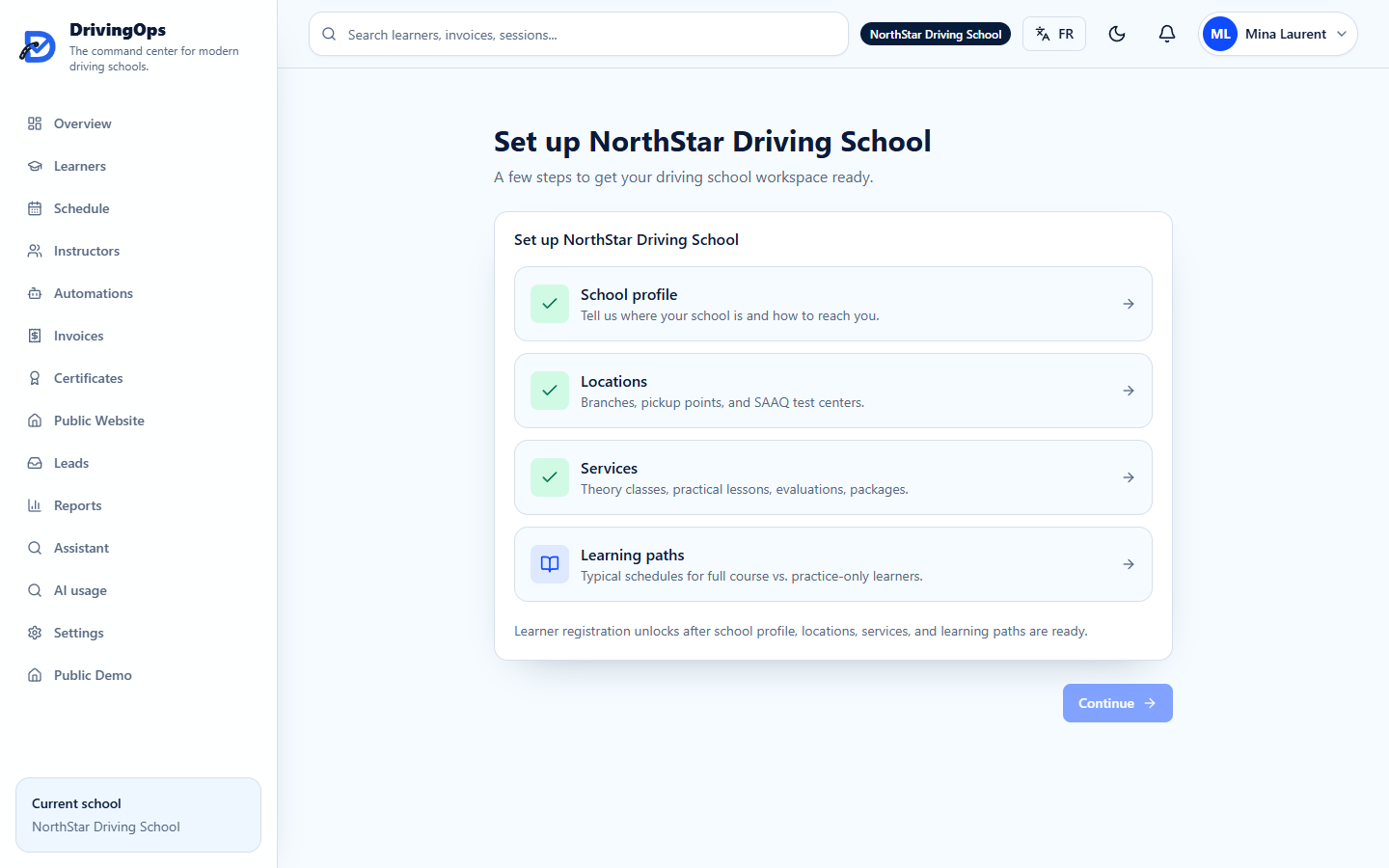
Set up in the order your school actually operates
-
1. Confirm your school profile
Name, branches, languages, and operating hours.
-
2. Set up services & programs
Theory, practical, evaluations, road-test prep, and packages with pricing.
-
3. Add instructors & availability
Licences, vehicles, and the weekly schedule they can teach.
-
4. Register learners & generate
Import learners and produce your first conflict-free schedule.
Plan migration without losing the operating thread
Migration support is intended for Growth and Multi-Branch pilots. Scope, validation, responsibilities, and go-live timing are agreed before any customer data is transferred.
See DrivingOps run your school
Book a 15-minute demo tailored to your school. No obligation, no setup required.